
WooCommerce Push Notifications: Instant Alerts for New Orders and Statuses

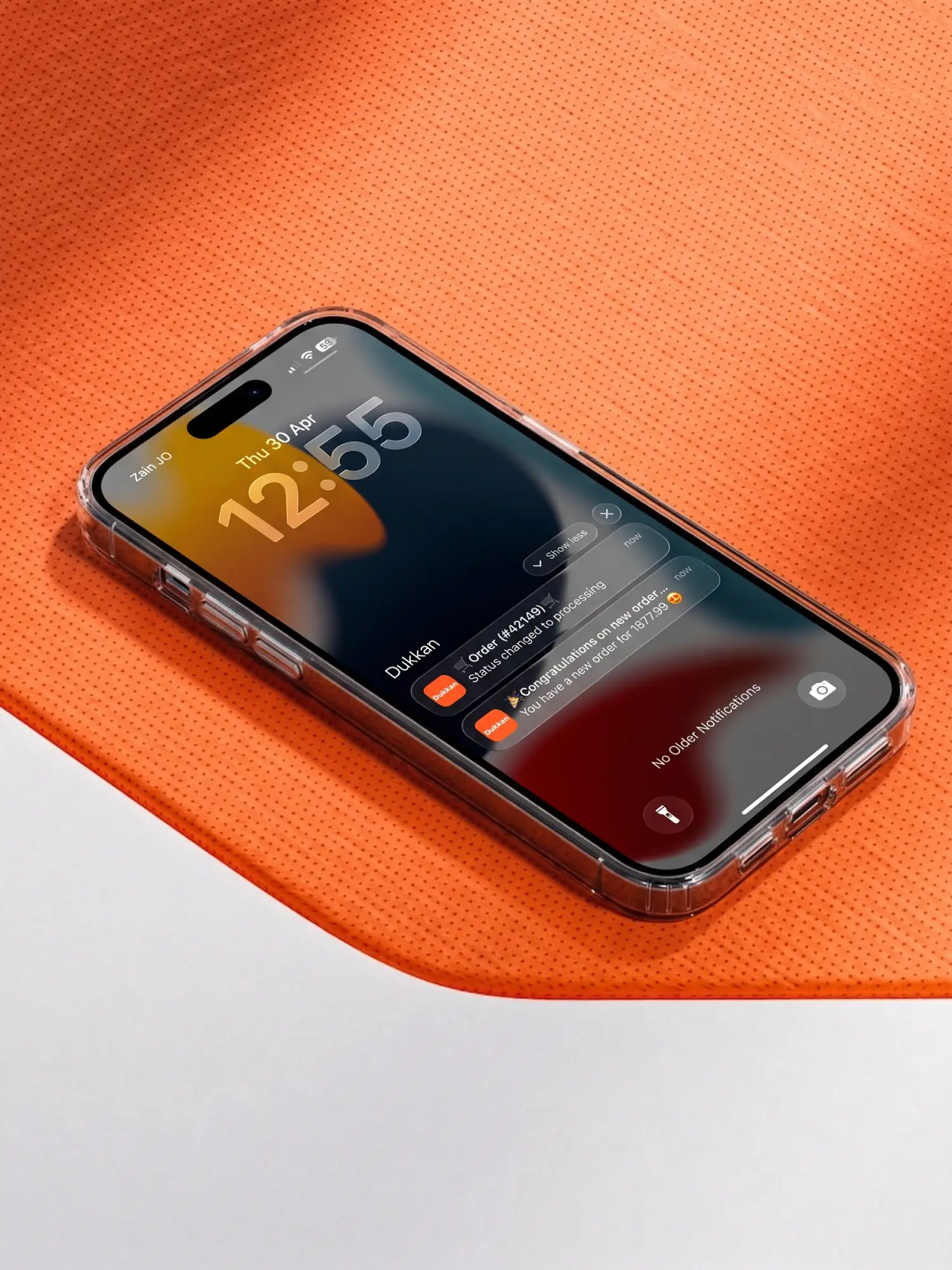
Get Instant Order Status Push Notifications
The Complete WooCommerce Order Notification Guide
Real-Time
Live Status Updates
Stop refreshing your WooCommerce dashboard every few minutes to check for status updates.
Getting instant push notifications for every order change keeps you and your team perfectly synchronized.
Moreover, tracking every status—from ‘Pending’ to ‘Completed’—ensures total operational control.
The Dukkan WooCommerce Admin App sends these updates directly to your pocket.
Therefore, you can update customers and manage logistics without any delay.
24/7
Monitoring Order Flow
7+
Order statuses tracked
Instant
Status update sync speed
Why Status Tracking via Push Wins
Tracking every status change is the key to efficient customer service. Relying on manual checks or email updates creates bottlenecks in your fulfillment workflow.
However, real-time push alerts for every status change ensure your team acts fast.
Constant visibility helps you catch failed payments or processing errors immediately.
Instant awareness helps you update the shipping status the moment the package leaves.
The Problem
Relying on standard WooCommerce emails for status changes is unreliable. It leads to delays in shipping and frustrated customers who want updates.
The Solution
The Dukkan App triggers alerts for every status transition. Whether an order is canceled or marked as shipped, you’ll know the second it happens.
Mark’s Seamless Shipping Workflow
The Pain of Manual Status Monitoring:
✗
Missed payment failures
Orders stuck in ‘Pending’ without anyone noticing
✗
Delayed shipping updates
Customers asking for tracking info before you’ve seen the change
✗
Workflow interruptions
Constantly logging into the PC just to check order progress
Then Mark enabled status change notifications on the Dukkan App.
He received a ping the moment a payment cleared via the order tracking tools.
He updated the order to ‘Processing’ and ‘Shipped’ right from his phone while at the warehouse.
The Impact:
- Full visibility of every status transition
- 90% faster response to failed orders
- Improved team coordination on fulfillment
- Real-time sync with WooCommerce core
Benefits of Multi-Status Alerts
Mark manages a high-volume electronics shop. Keeping track of ‘On-Hold’ orders was a nightmare.
During a flash sale, many payments were pending or failing due to bank limits.
Mark was losing time checking each order manually to see if the money arrived.
Previously, managing the ‘Processing’ queue meant staying at his desk all day.
Consequently, his fulfillment speed lagged, causing negative customer reviews.
Lightning Fast Updates
Get immediate pings for New Orders, Pending Payments, and Completed shipments.
Perfect Inventory Control
Monitor status changes like 'Processing' or 'Refunded' directly from your lock screen.
Percentage-Based Pricing
Ensure 100% awareness of your order lifecycle without checking your inbox manually.
Attribute Management
Optimize your store operations using the WooCommerce status alert system.
Using Notifications Effectively
1
Filter Status Alerts
Choose which status changes trigger a notification to avoid unnecessary noise.
2
Act on Pending Orders
Get alerts for ‘On Hold’ orders to resolve payment issues immediately.
3
Update While Mobile
Change status to ‘Shipped’ on the go to notify customers as you fulfill orders.
4
Track Canceled Sales
Receive instant alerts when an order is canceled to restock inventory immediately.
5
Sync with Fulfillment
Combine alerts with fulfillment tools for an elite mobile workflow.
Avoiding Alert Fatigue
Mistake 1: Ignoring Filters
Muting all notifications. Solution: Only enable alerts for critical status changes like 'New Order' and 'Failed'.
Mistake 2: Missing Alerts
Delaying status updates. Solution: Update the order status to 'Processing' immediately to keep the customer informed.
Mistake 3: Skipping Reviews
Forgetting to check 'Pending' statuses. Solution: Use the Dukkan dashboard to filter and address orders stuck in payment loops.
Set Up Alerts in 3 Steps
Activate real-time order status tracking in under five minutes
1. Install Dukkan App
Download the application from the iOS App Store or Android Google Play Store
2. Sync WooCommerce
Connect your store via REST API to enable real-time status communication
3. Configure Alerts
Select which order status changes you want to receive as push notifications
Common Notification Questions
Can I get notifications for specific order statuses?
Yes, you can configure the Dukkan App to notify you for new orders, processing, completed, canceled, and more.
Is there a delay between a sale and the notification?
No, the Dukkan App uses real-time webhooks to ensure notifications arrive within seconds of the status change.
Do I need to keep the app open to receive alerts?
No, push notifications work in the background, so you will receive alerts even when your phone is locked.
Can my staff also receive these status notifications?
Yes, you can connect multiple devices to the same store so your whole fulfillment team stays updated.
Will I get an alert if a payment fails?
Absolutely. You can enable alerts for ‘Failed’ or ‘Canceled’ statuses to troubleshoot issues immediately.
Conclusion: Master Your Order Lifecycle
Managing a WooCommerce store effectively requires knowing exactly what happens with every order.
With Dukkan, you get instant push notifications for new sales and every subsequent status change.
This level of visibility allows you to fulfill orders faster and provide better customer support.
Stop guessing about your sales and start responding to your business in real-time.
Download the Dukkan App today to take full control of your order notifications.
Your business moves fast. Your notifications should too. Track every WooCommerce order status with Dukkan.
Experience Real-Time Order Updates
Join thousands of WooCommerce merchants who rely on Dukkan for instant order status alerts. Optimize your workflow and never miss a beat in your store’s lifecycle.